Skip to content

Enterprise AI automation that actually runs your business

We design and deploy production-grade AI agents and workflow automation that connect to your ERP, CRM, documents, email and operational systems, reducing manual work, accelerating decisions and increasing operational capacity without constantly adding headcount.

Built for complex operations, not chatbot demos.

Free, 20 minutes, on one workflow you choose. You leave knowing where AI fits, what needs to connect and a practical next step.

Built for real business operations

Technologies & platforms we work with

Book AI Assessment
  • OpenAI
  • n8n
  • AWS
  • MongoDB
  • PostgreSQL
  • Salesforce
  • HubSpot
  • Zoho
  • WhatsApp
  • Slack
  • Google Workspace

India • North America • Middle East • International markets

01 · The business problem

Your business doesn't need more software. It needs less manual work.

  • Staff copying data between systems
  • The same emails written again and again
  • Documents read and re-keyed by hand
  • Approvals waiting in someone's inbox
  • Spreadsheets holding the process together
  • Systems that don't talk to each other
  • Repetitive customer questions
  • Reports assembled manually every week
  • Procurement bottlenecks
  • Exceptions handled by whoever notices
  • Information scattered across tools

The fix

AI automation connects these disconnected activities into intelligent workflows that can understand information, make rule-based decisions, request human approval and execute actions across existing systems.

02 · See it working

See an AI agent process a real business workflow.

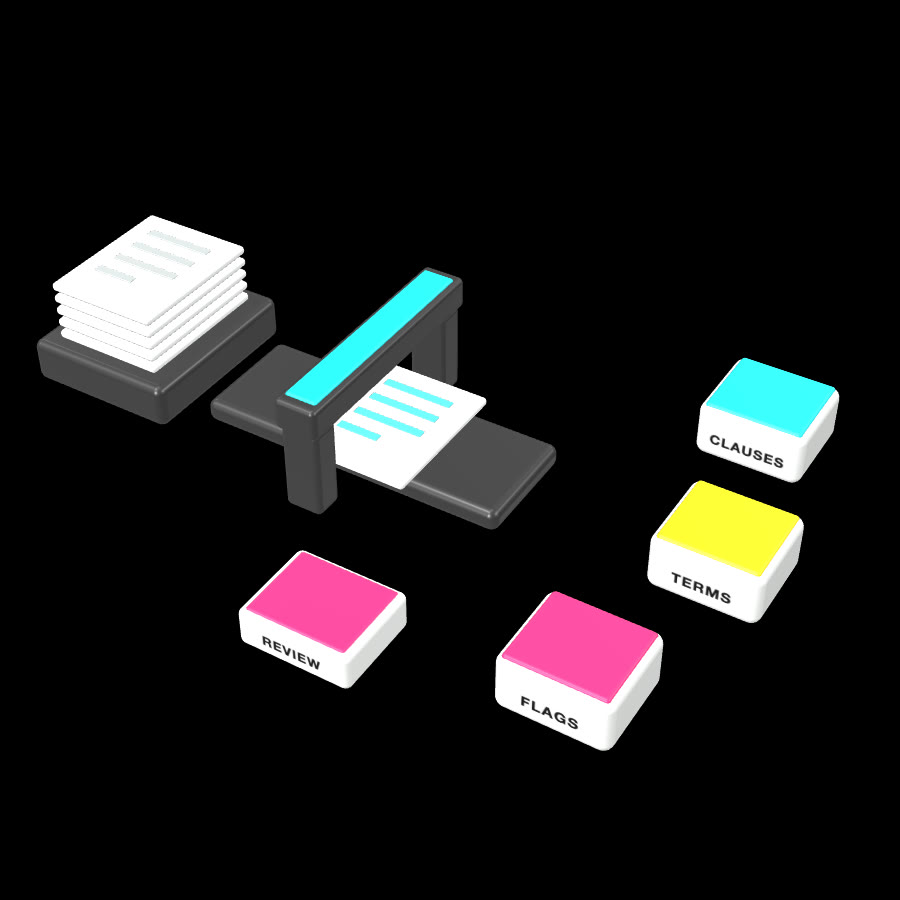
A contract review workflow, step by step: from a 100-page document in an inbox to an approved, logged action. Click any step, or play the walkthrough.
Sample data · no real client documents
contract-review-agent · run #0142 (sample)

Step 1 / 9 · Input

A 100-page contract arrives

The agent picks it up from email, a shared drive or an upload portal. No one has to forward it.

Sourcecontracts@ inbox
FileMSA_Sample-Supplier_v3.pdf
Pages100
Detected typeMaster services agreement

03 · Use cases

What can we automate inside your business?

Six areas where AI automation typically removes the most manual effort. Each card shows an example workflow.
  • Sales

    Faster response to every lead and request, with the CRM kept current automatically.

    • Lead qualification
    • RFQ / RFP processing
    • Proposal generation
    • Follow-up automation
    • CRM updates
    • Sales intelligence

    Example workflow

    RFQ email → requirements extracted → pricing sheet drafted → sales lead approves → quote sent and logged in CRM.

  • Operations

    Work moves between teams without chasing, and exceptions reach the right person.

    • Work orders
    • Approvals
    • Dispatch
    • Scheduling
    • Exception handling
    • Operational alerts

    Example workflow

    Work order raised → parts and crew checked → schedule proposed → supervisor confirms → dispatch notified.

  • Finance

    Less keying, fewer mismatches, and a clear trail for every approval.

    • Invoice processing
    • PO matching
    • Collections workflows
    • Financial reporting
    • Reconciliation support
    • Approval workflows

    Example workflow

    Invoice arrives → fields read → matched to PO and receipt → mismatches routed to finance → approved invoice posted.

  • Documents

    Long, unstructured documents turned into structured, searchable, checkable data.

    • Contracts
    • Tenders
    • Compliance documents
    • SOPs
    • Technical documents
    • Inspection reports

    Example workflow

    Tender pack uploaded → requirements and deadlines extracted → compliance matrix built → bid team reviews gaps.

  • Customer operations

    Consistent answers on every channel, with hand-off to a person when it matters.

    • Email automation
    • WhatsApp workflows
    • Voice agents
    • Support automation
    • Appointment booking
    • Customer qualification

    Example workflow

    WhatsApp enquiry → intent and details captured → answer from your knowledge base → booking made or agent hand-off.

  • Management

    Leaders get the signal without waiting for someone to build the report.

    • Executive reporting
    • Decision support
    • Daily briefings
    • KPI monitoring
    • Alerts
    • Business intelligence

    Example workflow

    Overnight data pulled from ERP and CRM → KPIs compared to targets → plain-English briefing in the inbox by 8am.

04 · Industries

AI automation built around your industry.

Typical automation opportunities by sector. These are common patterns we design for, not a list of past clients.
  • Oil & Gas

    • Procurement automation
    • RFQ analysis
    • Vendor document processing
    • Contract intelligence
    • Maintenance workflows
    • HSE documentation
    • Supply-chain exception management
    • Executive operational briefings
  • Government & large institutions

    • Document intelligence
    • Case processing
    • Internal knowledge systems
    • Approval orchestration
    • Reporting
    • Compliance workflows
    • Citizen / service workflows
    • Human approval controls

    AI can assist with analysis and workflow execution while authorized people remain in control of consequential decisions.

  • Logistics

    • Quote processing
    • Shipment documentation
    • Customer communication
    • Exception handling
    • Dispatch workflows
    • Invoice processing
  • Real estate

    • Lead qualification
    • Property inquiries
    • Document processing
    • Follow-up automation
    • CRM updates
    • Appointment scheduling
  • Professional services

    • Proposal generation
    • Research
    • Document analysis
    • Client onboarding
    • Reporting
    • Knowledge automation

05 · Business impact

Turn repetitive work into operational capacity.

We don't quote generic percentages. Impact is measured per workflow against a baseline we take with you before building.

06 · In practice

What AI automation looks like in practice.

Client case studies are published only with permission and real, measured results. Until then, here is how we would architect a common workflow.

Industry · Accounts payable (any industry)

Illustrative blueprint · not a client engagement
Problem
Supplier invoices arrive as PDFs and email attachments in different layouts, and are keyed into the ERP by hand.
Existing workflow
Finance staff open each email, read the invoice, find the matching purchase order, key the lines into the ERP and chase approvers over email.
Automation opportunity
Reading, matching and routing are rule-based and repetitive. Only mismatches need a person.
AI architecture
An extraction agent reads each invoice into structured fields; a workflow engine matches it to the PO and goods receipt; business rules decide auto-post, route or reject.
Human approval
Any invoice outside tolerance, from a new vendor or above a value threshold goes to a named approver with the evidence attached.

Before

Every invoice touched by a person, approvals tracked in inboxes, no single view of what is pending.

After

People handle only exceptions; every invoice has a status, an owner and an audit trail.

Measured result

Measured per engagement against a baseline taken before the build. No numbers shown for illustrative blueprints.

Integrations & technology

  • Shared mailbox
  • ERP (PO, GRN, vendor master)
  • Approval channel (email / Teams / Slack)
  • LLM document extraction
  • n8n or custom orchestration
  • ERP API
  • Audit log store

07 · Architecture

AI agents connected to your existing systems.

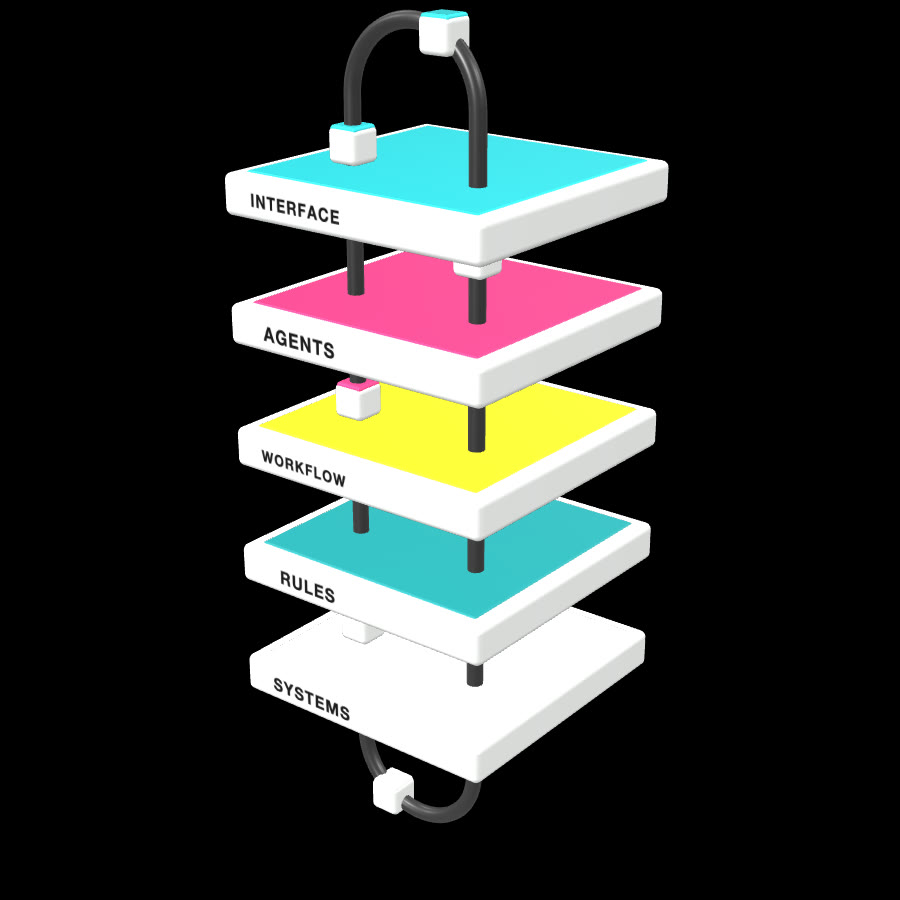
Real systems, not chatbots: every layer has a job, a boundary and a log.
  1. People

    Employees, customers and approvers

  2. AI interface

    Email, WhatsApp, chat, forms, voice, internal portals

  3. AI agent layer

    Reasoning · classification · extraction · drafting

  4. Workflow orchestration

    Steps, queues, retries, timeouts, hand-offs

  5. Business rules

    Policies, thresholds, routing and validation

  6. Your systems

    ERP · CRM · databases · documents · email · WhatsApp · APIs

  7. Human approval

    Named approvers for consequential steps

  8. Action

    Records updated, messages sent, tasks created

Audit logs · monitoring · every layer

Built with the tools that fit your environment: model APIs, n8n or custom orchestration, your databases and your system APIs. Learn more about our AI development and integration work.

08 · Security & governance

Enterprise AI without losing control.

Automation should increase operational speed without removing accountability.
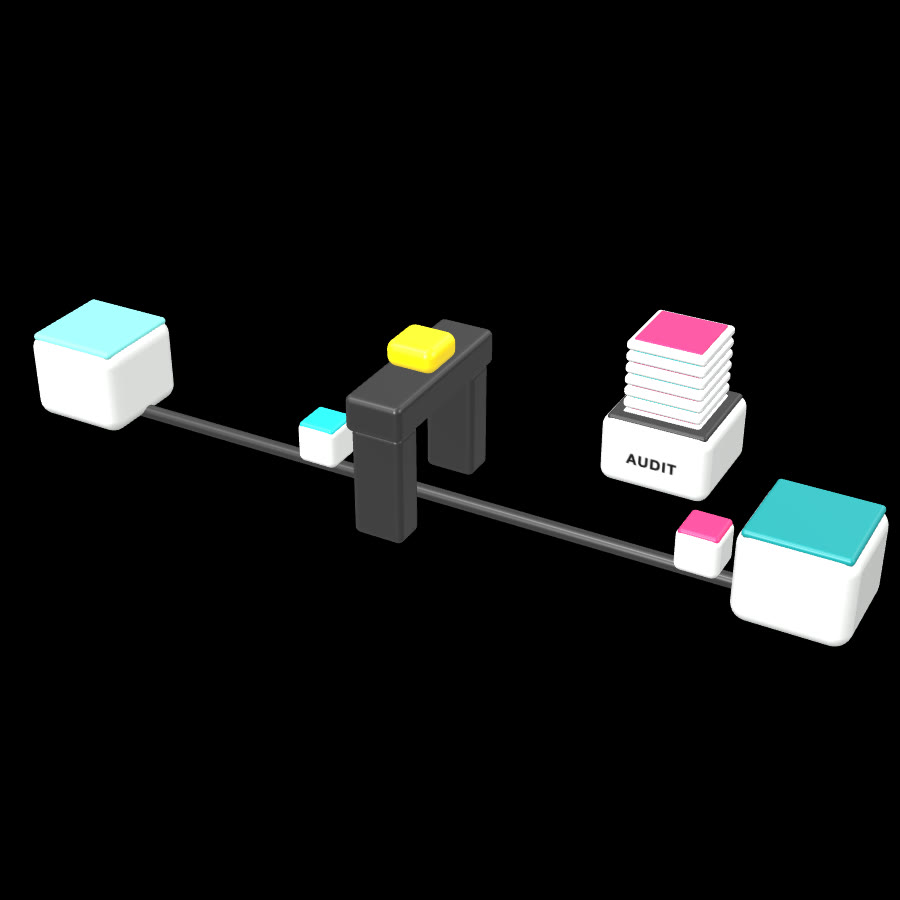
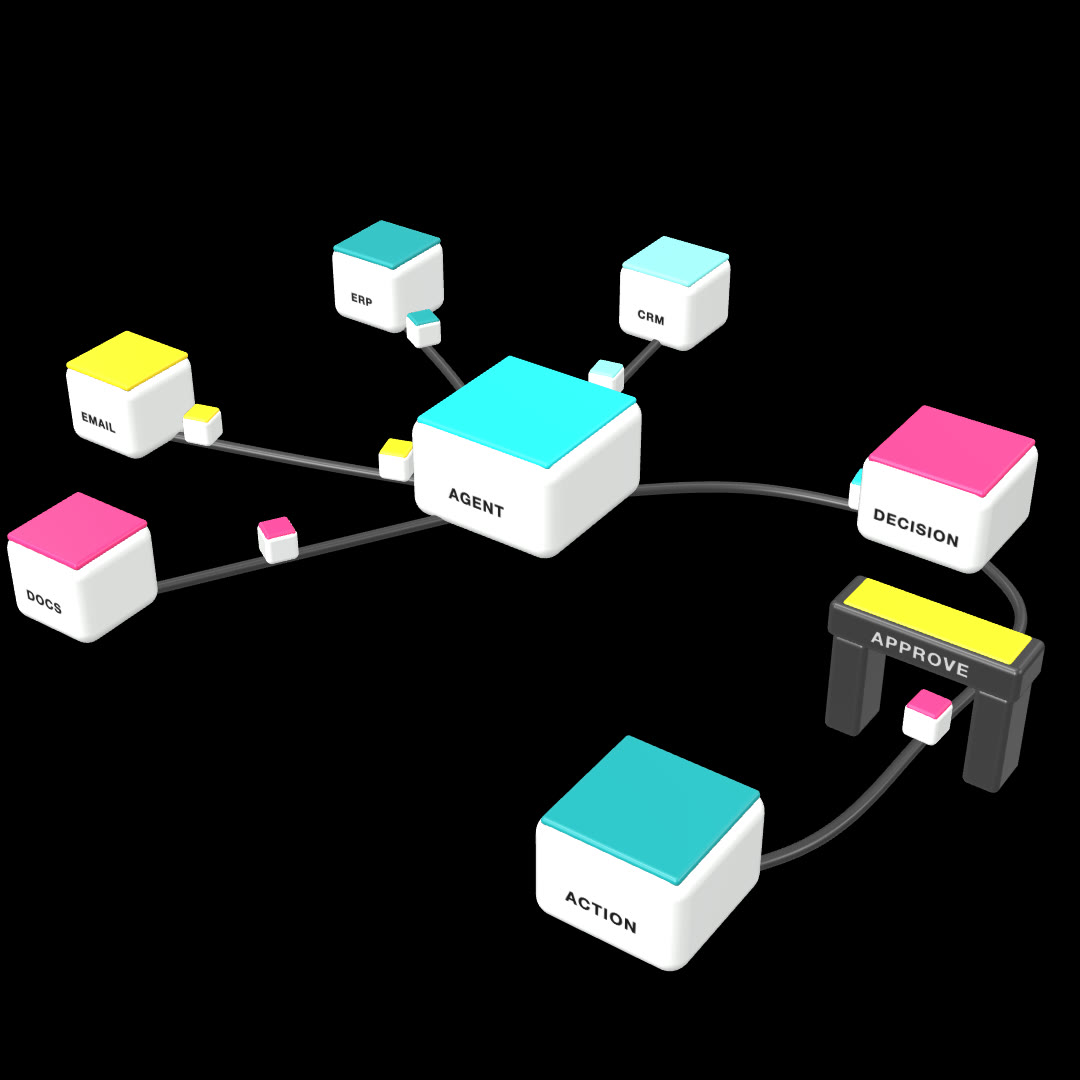
  1. AI
  2. Decision
  3. Approval
  4. Action
  5. Audit trail
  • Role-based access

    Agents and users only see and do what their role allows.

  • Least-privilege design

    Each integration gets the narrowest permissions the workflow needs.

  • Secure API integrations

    Credentials stay server-side, in a secrets store, never in prompts.

  • Audit logs

    Every read, decision, approval and action is recorded.

  • Human approval gates

    Irreversible or high-value steps wait for a named person.

  • Data retention controls

    You decide what is stored, for how long, and where.

  • Monitoring & observability

    Runs, costs, latency and failures are visible on a dashboard.

  • Failure handling

    Retries, timeouts and safe fallbacks when a system is down.

  • Escalation paths

    Low-confidence or unusual cases go to a person, not a guess.

  • Private cloud / VPC

    Deploy inside your own cloud account where the project requires it.

  • Self-hosted model options

    Where data must not leave your environment, assessed per project.

  • Model data settings

    Providers and settings chosen so your data is not used for model training.

We design to your compliance requirements and document the controls; we don't claim certifications on your behalf. See our AI automation security checklist.

09 · How Techprime works

From manual process to production AI.

  1. Discover

    Map the workflow as it really runs today and find the bottlenecks.

  2. Prioritize

    Pick the automation with the clearest value and the fewest unknowns.

  3. Prototype

    Build against realistic business scenarios and your own sample data.

  4. Integrate

    Connect existing systems, APIs, documents and communication channels.

  5. Govern

    Add permissions, approval gates, monitoring and audit trails.

  6. Deploy & optimize

    Launch, measure against the baseline and keep improving.

New to this? Read our 90-day AI automation roadmap.

10 · Honest fit check

AI automation is a strong fit when…

  • The workflow repeats daily or weekly
  • You handle large volumes of documents
  • People spend hours on manual data entry
  • Work moves across several disconnected systems
  • Approvals are slow and hard to track
  • Operational delays are expensive
  • Key information is buried in unstructured text

It may not be the right solution when…

  • The process happens only a few times a month
  • There is no consistent business logic to follow
  • Nobody owns the workflow
  • The expected business impact is too small to justify a build

If that's you, we'll say so on the call, and point you to something simpler. Common AI automation mistakes.

11 · Business case

Start with the workflow. Measure the opportunity.

Enter rough numbers for one workflow to size the opportunity. For the full method, see how to calculate AI automation ROI.

Your workflow

on this workflow
salary + overheads
items, cases or documents

Illustrative estimate

Manual hours / month
208
Hours that could be freed / month
104
Equivalent extra capacity / month
400 items
Estimated annual opportunity
$40,200

A rough, illustrative figure based only on the numbers you entered. It is not a quote or a guarantee of savings; real results depend on your data, systems and adoption, and we baseline them before any build.

AI automation, answered.

What is enterprise AI automation?

It is the use of AI agents inside real business processes, not beside them. The agents read documents and messages, apply your rules, update systems like your ERP or CRM and hand consequential decisions to people, with access control and an audit trail throughout.

What is an AI agent?

An AI agent is software that uses a language model to decide the next step in a task and then takes it through tools you allow, such as reading a file, querying a database or updating a record. A well-built agent works inside strict permissions and asks for help when it is unsure.

What business processes are best suited to AI automation?

Frequent, rule-guided processes that involve reading or writing unstructured information: invoice and document processing, RFQ and proposal handling, customer enquiries, approvals, reporting and data entry between systems. Rare or judgement-heavy one-off decisions are usually poor candidates.

What is the difference between AI automation and traditional automation?

Traditional automation (scripts, RPA, workflow tools) follows fixed rules on structured data and breaks when inputs change. AI automation adds the ability to understand unstructured inputs such as emails, PDFs and conversations, so it handles variation. In practice we combine both: AI where judgement is needed, plain rules where it is not.

Can AI agents work with ERP systems?

Yes. Agents connect to ERPs through their APIs, database views or integration middleware, with a dedicated service account limited to the records and actions the workflow needs. Writes to the ERP can be held for human approval.

Can you integrate AI with SAP?

SAP systems expose integration options such as OData services, BAPIs and SAP Integration Suite. We design the automation around whichever interface your SAP team supports and approves, working with them on access and testing.

Can you integrate AI with Oracle?

Oracle applications and databases provide REST APIs and integration services. We connect through the interfaces your Oracle administrators allow, using least-privilege credentials and a test environment before production.

Can you integrate AI with Salesforce?

Yes. We use Salesforce's REST and Bulk APIs to read and update leads, opportunities, cases and custom objects, so the agent can qualify leads, log activity or draft follow-ups inside your existing CRM process.

Can you integrate AI with HubSpot?

Yes. HubSpot's APIs let agents create and update contacts, deals and tickets, log emails and trigger workflows, keeping the CRM current without manual entry.

Can AI work with confidential company documents?

Yes, with the right design. Documents stay in your storage, access is scoped per workflow, model providers are configured so data is not used for training, and where required the system runs in your own cloud or on self-hosted models.

Can humans approve AI-generated decisions?

Yes, and for consequential steps they should. We build approval gates where a named person sees the proposed action with its evidence and approves, edits or rejects it before anything irreversible happens.

What happens when an AI agent is uncertain?

It should not guess. We set confidence thresholds and validation rules; when a case falls below them or looks unusual, the agent routes it to a person with its reasoning and the source data, and the outcome is logged.

How do you measure AI automation ROI?

We baseline the workflow before building: volume, time per item, error and rework rate, and delay cost. After launch we measure the same numbers, plus running costs, so the return is based on your data rather than an estimate.

How long does an AI automation project take?

A focused first workflow typically goes live in a few weeks: discovery, a prototype on realistic data, then a production build. Timelines depend mostly on system access and integrations. Larger multi-workflow programmes are delivered in phases.

What does an AI automation project cost?

Cost depends on the number of workflows, the systems involved, data quality and volume, plus ongoing model and hosting costs. We give a fixed estimate after the assessment call. Our cost guides for India and the UAE show indicative ranges.

Can you automate Oil & Gas workflows?

Many Oil & Gas processes are document- and approval-heavy: procurement, RFQ analysis, vendor documents, contracts, maintenance and HSE records. These fit AI automation well, with engineers and managers keeping approval over technical and safety decisions.

Can you build AI systems for government organizations?

We can design systems for public-sector and institutional workflows such as document intelligence, case processing and approvals, built so authorized officials stay in control of consequential decisions and every action is auditable. Procurement and hosting requirements are assessed per organization.

Do you support UAE and GCC organizations?

Yes. We work remotely with organizations across India and international markets, including the UAE and the wider GCC, schedule calls in your time zone and design for local needs such as data protection rules, WhatsApp-first communication and Arabic-English content.

What happens during the first consultation?

In 20 minutes we look at one workflow you choose: how it runs today, where the time goes, which systems are involved and whether AI automation is a good fit. You leave with an honest view of the opportunity and a practical next step, even if that step is not a project with us.

How does Techprime deploy AI automation?

In six steps: discover, prioritize, prototype, integrate, govern, then deploy and optimize. Systems are deployed on your cloud or ours with monitoring, audit logs and documentation, and you own the workflows and credentials.

In short

What is enterprise AI automation?

Enterprise AI automation connects AI agents to business systems such as ERP, CRM, email, documents and databases so they can execute defined multi-step workflows with permissions, monitoring and human approval.

What does Techprime do?

Techprime designs and deploys AI agents and workflow automation for businesses that want to automate document processing, operations, customer workflows, decision support and system-to-system processes.

How is it different from a chatbot?

A chatbot answers questions. An automation system does the work: it reads inputs, applies your rules, updates your systems, asks a person when needed and logs every step.

Start with one workflow

Have a workflow that shouldn't be manual?

Bring us one repetitive process. We'll help you determine whether AI automation can improve it, what systems need to connect, and what a practical implementation path could look like.

No generic AI presentation. Start with your actual workflow.